Web Dashboard
The LobstaKit web dashboard gives you a browser-based GUI for managing your Lobsta installation.
Starting the Dashboard
lobstakit startBy default, the web interface runs on http://0.0.0.0:8080.
For production deployment:
lobstakit start --production --port 8080Runs with gunicorn (2 workers, 4 threads, 120s timeout).
First-Time Authentication
On your first visit, you'll be prompted to create a password:
- Open
http://your-host:8080in a browser. - You'll be redirected to
/auth/setup. - Create a password (minimum 4 characters).
- You're logged in and redirected to the dashboard.
On subsequent visits, enter your password at /login.
The password hash and salt are stored in ~/.lobsta/auth.json with 0600 permissions.
Dashboard Pages
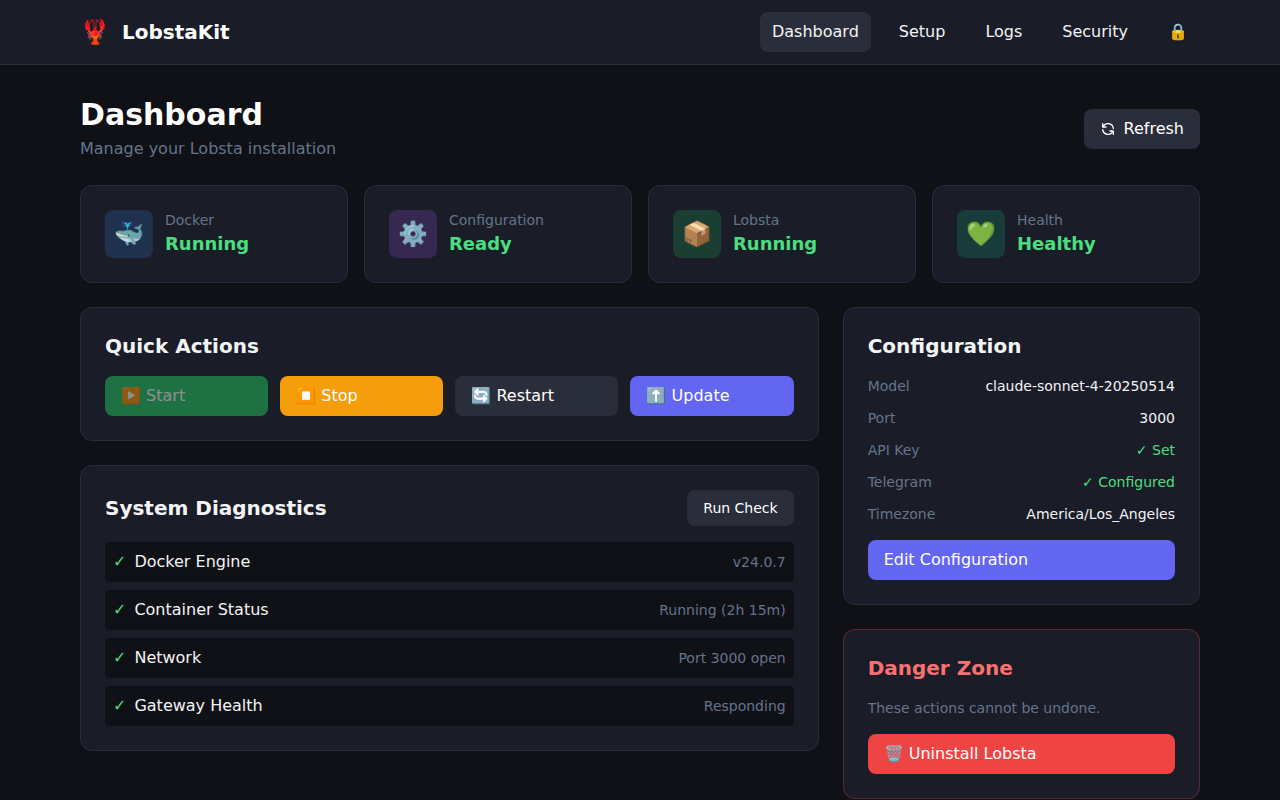
Main Dashboard (/)
Overview of your system:
- Docker status (installed, running, version, compose availability)
- Configuration status (API key set, model, gateway port, Telegram, timezone)
- Container status (exists, running, image)
- Health checks (port open, gateway responding)
- System prerequisites
Setup Wizard (/setup)
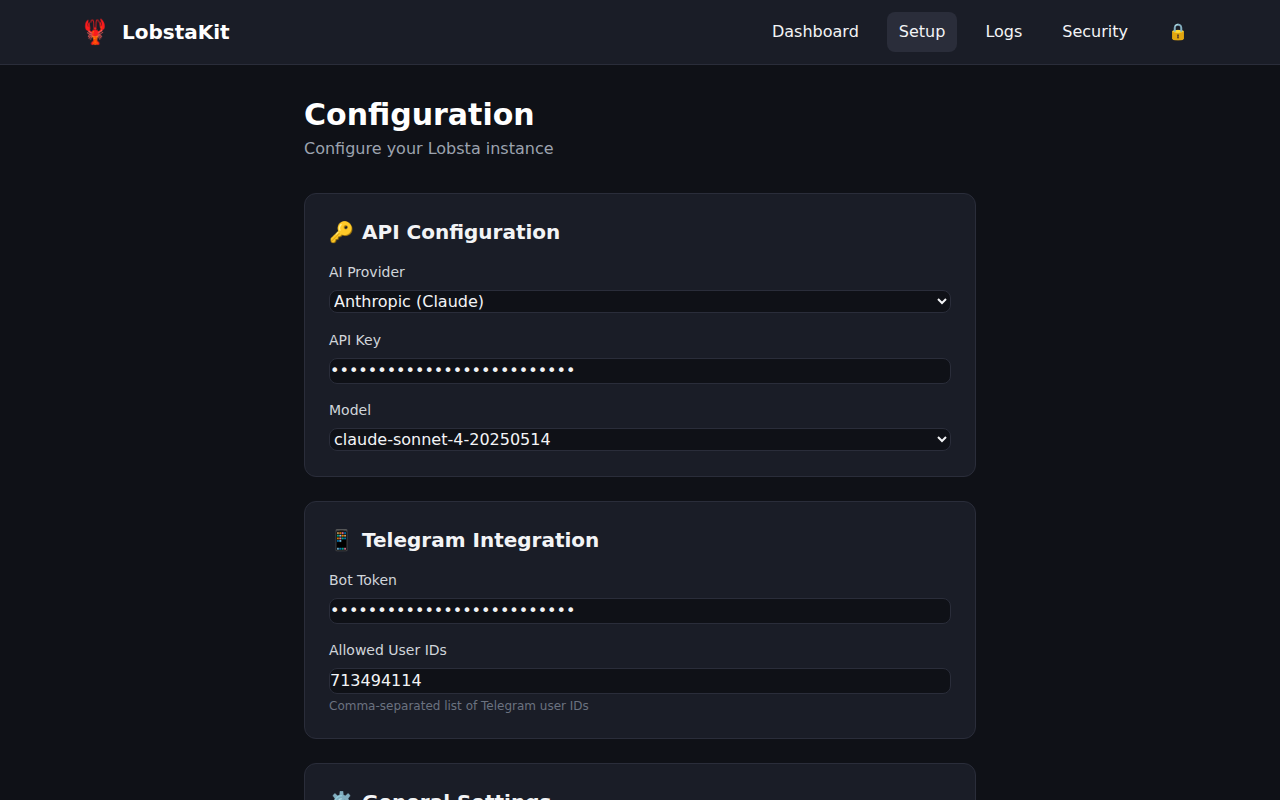
Same as the CLI wizard, but through the browser. Walks you through configuration, Docker setup, and starting Lobsta.
Logs Viewer (/logs)
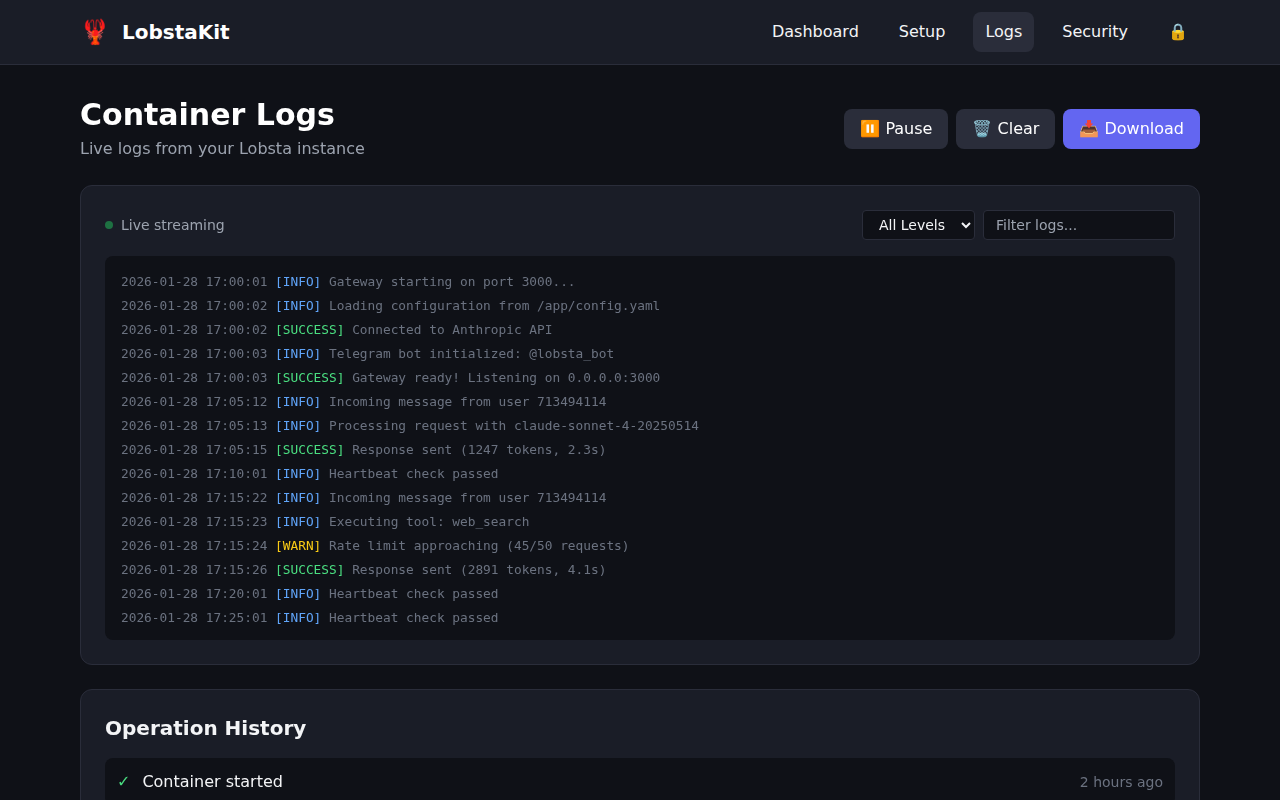
View and stream Lobsta container logs in real-time:
- Static logs with configurable line count
- Live streaming via Server-Sent Events
Security Audit (/security)
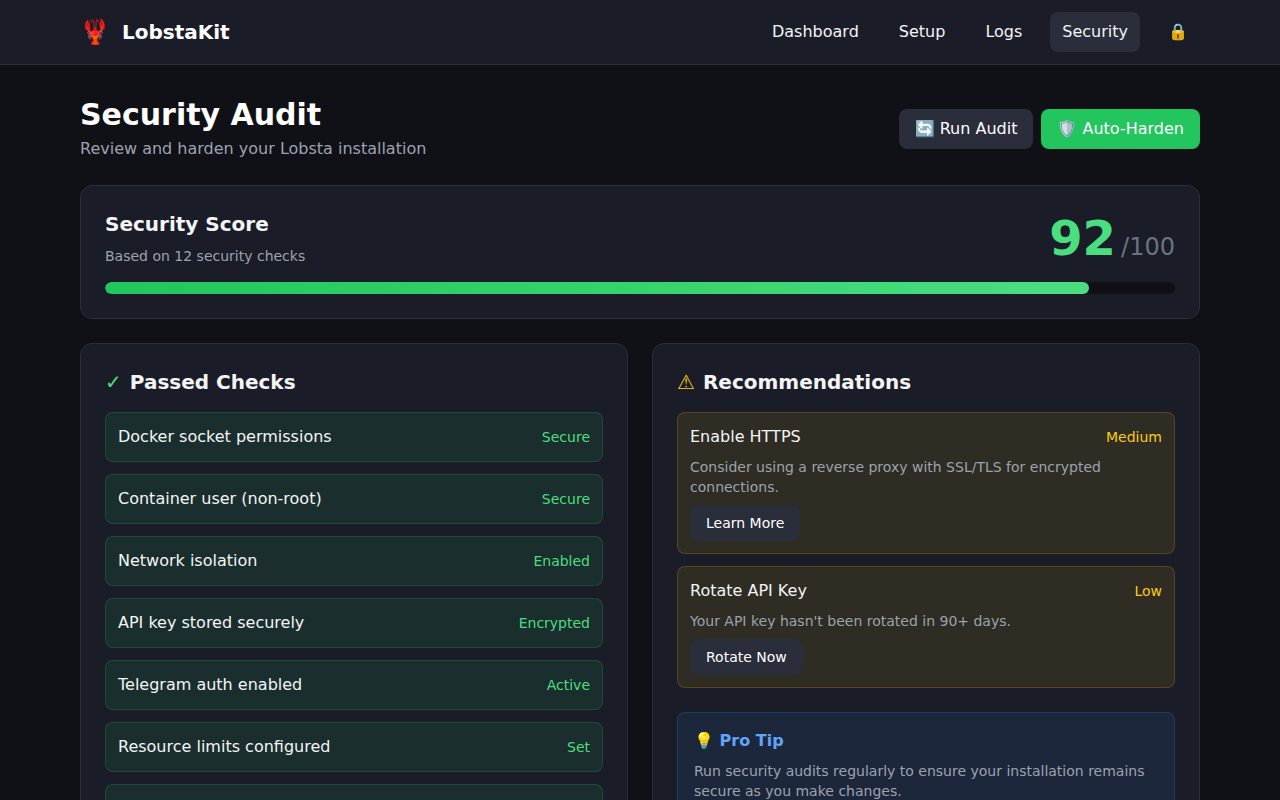
Run security checks and apply hardening measures from the browser.
Web API Endpoints
All endpoints require authentication (except /login and /auth/setup).
Status & Diagnostics
| Method | Path | Description |
|---|---|---|
GET | /api/status | Complete system status |
GET | /api/docker/status | Docker-specific status |
GET | /api/config | Current configuration (sensitive values masked) |
POST | /api/config | Save configuration changes |
GET | /api/diagnostics | Full diagnostics with recommendations |
Container Management
| Method | Path | Description |
|---|---|---|
GET | /api/containers | List all Docker containers |
GET | /api/logs/container | Container logs (?lines=N) |
GET | /api/logs/stream | Stream logs (Server-Sent Events) |
GET | /api/operation-logs | Recent operation logs from the web UI |
Actions
| Method | Path | Description |
|---|---|---|
POST | /api/action/setup-docker | Install and start Docker |
POST | /api/action/start | Start Lobsta container |
POST | /api/action/stop | Stop Lobsta container |
POST | /api/action/restart | Restart Lobsta container |
POST | /api/action/update | Update Lobsta to latest version |
POST | /api/action/pull-image | Pull the latest Docker image |
POST | /api/action/uninstall | Uninstall Lobsta (optional remove_config) |
Security
| Method | Path | Description |
|---|---|---|
GET | /api/security/audit | Run security audit |
POST | /api/security/harden | Apply security hardening |